 SurveyorSim
for instructors · the depth page
Your whole class can't share one instrument
A department owns three total stations and teaches ninety students. SurveyorSim hands every one of them a full kit — instrument, level, rod, chain, collector, book — with the real procedures and the real error model, on the Chromebooks they already have. Lab time stops being the first time, and an online section gets a complete instrument instead of a video of one.
a code per student, no accounts to create — nicknames are fine
What is actually simulated
not a quiz with pictures —Every instrument below is a working model, not an illustration. Students operate the controls a real one has, and the readings come out of the geometry — the same reductions your textbook derives are the ones running under the glass.
Instrument inventory — all standard kit, all free
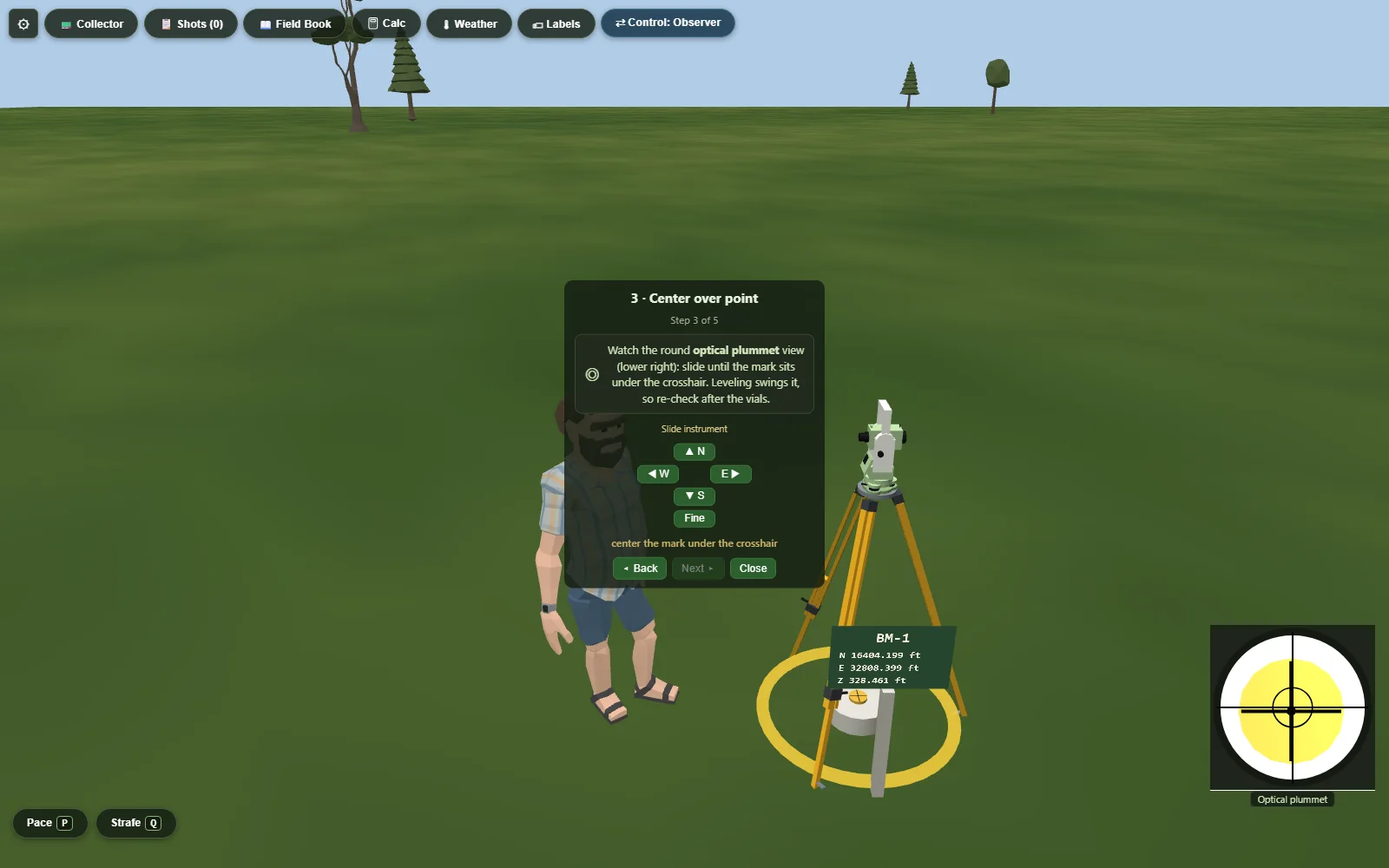
| Total station | Face 1 / Face 2 with plunge, angle-right workflow, HA/ZA in DMS, guided setup (legs → rough level → plummet → footscrews → laser HI), on-board settings: prism type and constant, measurement modes with distinct precision, atmospheric ppm, compensator on/off, EDM signal strength. Reflectorless and prism shots. |
|---|---|
| Automatic level | Rough-level-only setup (the compensator does the rest, like the real one), three-wire stadia reading, level loops booked by hand. Stadia is exact: a 1.00 ft intercept at 100 ft, mid-wire halfway. |
| 25 ft level rod | Telescoping sections, face drawn to exact graduation geometry — hundredth bands, tenth and half-tenth wedges. Students read it through the scope by eye, wave it through plumb, and book the minimum. A bull's-eye rod level rides along. |
| Engineer's chain | 100 ft, fully graduated; a ring of eleven chaining pins with the tally discipline; pin placement is a hand-eye task with real, propagating error; true slope distance between the ends — slope vs. horizontal is the lesson. |
| Data collector | SurvCE-style guided workflows: station setup, orientation on a backsight, sideshots, traverse advance, D/R sets, stakeout navigation, on-board COGO, and Process Raw File with closure and compass-rule adjustment. Exports RW5 and CSV. |
| Recovery tools | A magnetic locator with an honest flux-gradient signal model and a shovel — monument recovery over buried iron rods, with ties booked in the field book. |
The error model — the whole systematics chapter, running
This is the part that took the longest to build and the part your students can't get from a lecture: an instrument whose errors behave — systematics that propagate correctly, cancel when the procedure says they should, and land in the misclosure when a student skips the step that would have caught them.
Shoot both faces and the collimation error means the readings; skip Face 2 and it rides into the traverse. Forget the temperature and the EDM's ppm sits in every distance. Let the rodman get winded and watch the readings breathe.
Systematic error sources — modeled, propagated, cancelable
| EDM | Zero offset, scale error (ppm), prism-constant mismatch — the classic short-line vs. long-line signature. |
|---|---|
| Collimation | Horizontal collimation and vertical index error — cancel them the way a crew does: direct and reverse, mean the readings. |
| Compensator | Residual mislevel inside the compensator's range, propagating into steep sights the way the derivation says it must. |
| Heights | HI measurement error on the auto-HI read; the instrument holds its own target height, and a stale HR after the rod moves is the blunder it is in life. |
| Atmosphere | Curvature & refraction on long sights (the textbook's 0.021 ft at a thousand feet), plus EDM ppm from temperature and pressure the student reads off the weather kit and enters on the instrument. |
| The rodman | Rod wave (read the minimum), breathing sway with a brace-and-breathe steadying mechanic, two-axis rod wobble, plumbness that is a skill. |
| Random error | Pointing and reading noise scaled to the instrument, distance σ by measurement mode — averaging N reads improves the mean by √N, and the sim shows the spread. |
Deterministic, and graded against the ground truth
the server built the terrain — it knows the answers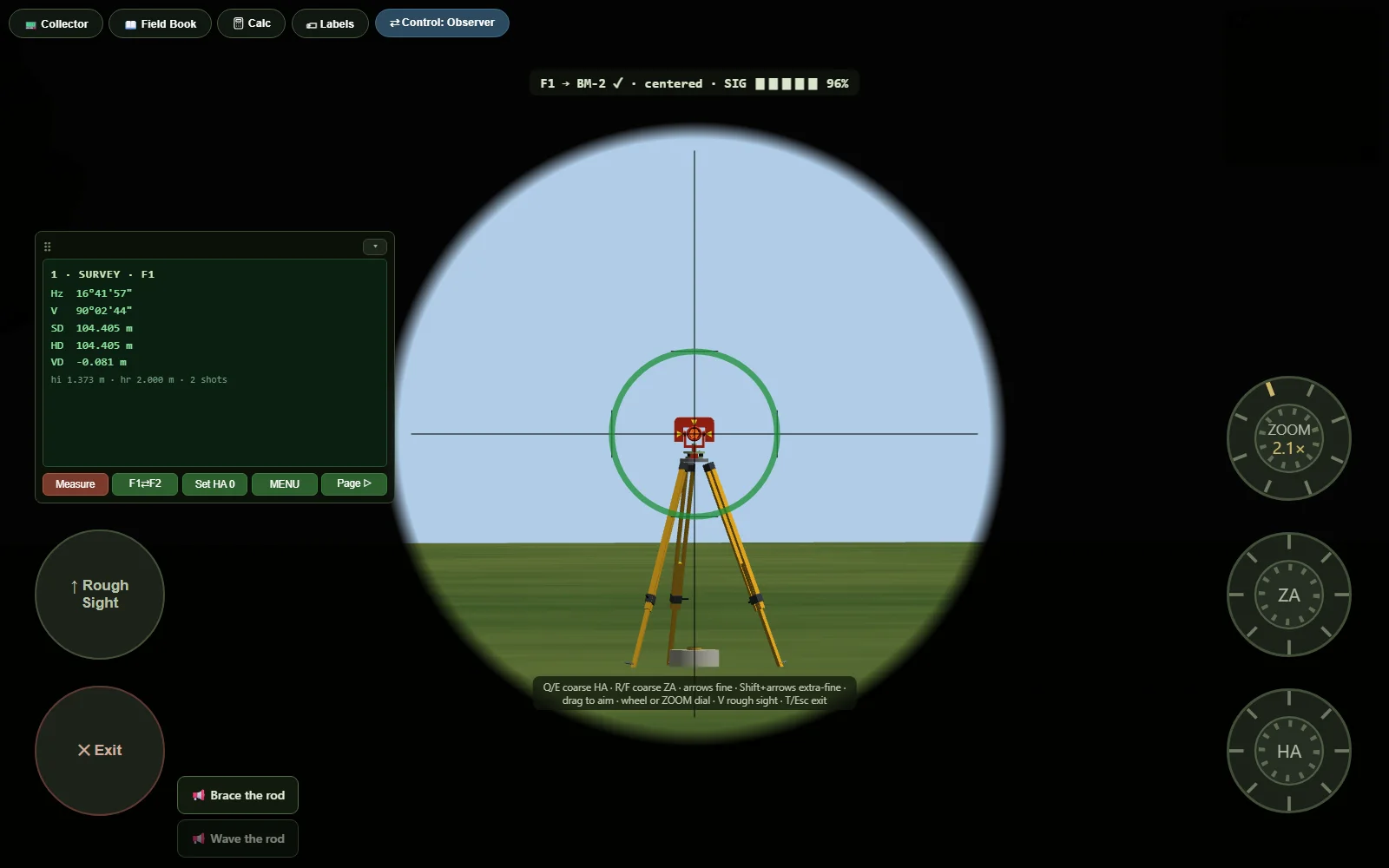
- Seeded worlds. Every assignment site is generated from a seed: same seed, same terrain, same monuments, same error sequence. The whole section works the same site, or every student gets their own.
- Server-side answer key. On submit, the server regenerates the same seeded world and grades against true coordinates and elevations — never against values the client claims. Suspicious submissions carry honest anti-tamper flags instead of silent trust.
- Six gradeable exercises, plus open world. Differential leveling, closed traverse, taping/chaining, monument recovery, stakeout, and topographic survey — each with a rubric, tolerances you set, and auto, manual, or both assessment modes. Open world adds a seventh, hand-graded: your task, on your handout or on notes placed around the site.
- Attempt drill-down. Open any submission and see the rubric line by line, the field book, signed millimeter residuals per shot, and the verbatim raw records underneath.
- Grades out. One click to CSV for your LMS gradebook.
Procedure and paperwork, the way you teach it
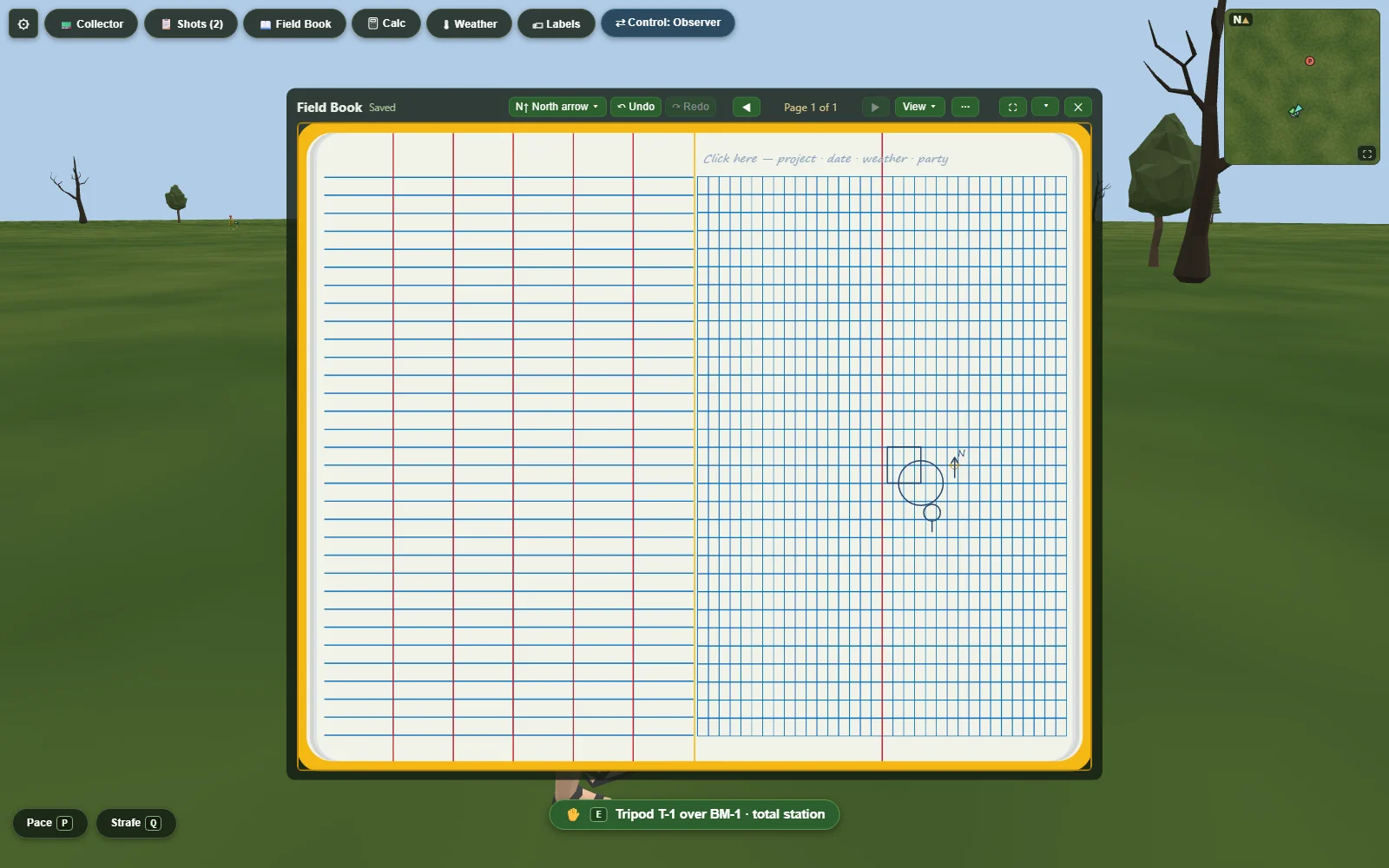
The field book is the product's beating heart: a ruled data page and a graph sketch page, drawn from a real book's art. Students write every value — the sim never computes into the book. Corrections strike through and stay visible. The arithmetic is theirs — the sim never computes into the book, and the grader reads the answers they tag.
- Pre-printed headings per exercise, or blank paper — your call, per assignment.
- Field rules knob: no-erase strike discipline for graded work — corrections strike through and stay legible; sandbox freedom for practice.
- Declared answers. Students tag the cells that carry their results; the grader reads only tagged cells — reading the book is still a human skill.
- Sketching with pencil, line, arrow, rectangle, circle, and the standard stamp symbols — every shape tool placeable from the keyboard; freehand needs a pointer.
- Print any page, or grade paper books against the same rubric if that's your style.
The classroom tier
built for the room you actually teach inA code per student, printed
Create a class, paste your roster, print the slips — one per student, each with their own 8-character code. Hand them out and they are in: no accounts to create, no passwords to reset, nothing for a student to sign up for. A code is only ever half a sign-in; the student picks the PIN. Lost a slip? Reprint it — the code is on the roster, masked until you ask for it.
Nicknames are welcome, the sim never needs real names, and no classmate ever sees the roster — which keeps your FERPA story short. Adding a student's email is optional, and buys one thing: we can send them their code instead of you handing it over.
Design the site in the sim
The assignment builder is a builder mode: place control, scatter or clear obstructions, check line-of-sight before you publish, drop site notes and hotspots, paint terrain (premium), terraform it — raise, lower, smooth, flatten (premium), add water with a tide table (premium), author the weather (premium). See exactly what your students will see.
Solo first, crews when you want them
Every graded exercise is completable solo by design — no student blocked by a missing partner. When you want party-chief dynamics, form crews: observer, rodman, and collector roles in a live shared session with role swaps you control.
What's free, what's premium
the numbers before you sign up, not afterA real lab, end to end
The sim is free for everyone — every instrument, every exercise, solo or in crews, no installs and no student accounts. The classroom free tier runs one active class with up to 15 seats and 10 saved library sites: full authoring, line-of-sight checks, auto-grading, and the grade CSV. If your section is bigger than 15, you'll meet the seat cap — stated here so you don't discover it on join day.
Bigger rooms, richer sites
Premium lifts the numbers — up to 200 seats per class, unlimited active classes, a hundred library sites — and unlocks environment authoring: painted terrain, terraforming, water with a tide table, authored weather, and your program's logo on the field book cover. And real-world sites: pick a place on the map and your crew surveys actual ground — real terrain, real buildings — anywhere in the world.
Run one lab on it
Open the sim, set the error level to Zero, and project the guided setup on the board. That's the whole pitch — the rest follows from there.